FTC968 User Key: Difference between revisions
No edit summary |
No edit summary |
||
| Line 29: | Line 29: | ||
<li>Go to '''Settings''' -> '''Select firmware''', then select '''FTC968 with develop version firmware''' and press '''Apply''':[[Image:FTC968 select firmware.png|1000px]] | <li>Go to '''Settings''' -> '''Select firmware''', then select '''FTC968 with develop version firmware''' and press '''Apply''':[[Image:FTC968 select firmware.png|1000px]] | ||
</li> | </li> | ||
<li>In the Discovered devices list, select your device and press '''Configure''' | <li>In the Discovered devices list, select your device and press '''Configure''':</li> | ||
:[[Image:Configure FTC968.png|1000px]] | |||
Revision as of 09:24, 30 June 2025
- Download the TCT (compressed archive).
- Extract the archive and launch the executable. The TCT will be installed.
- Launch the TCT.
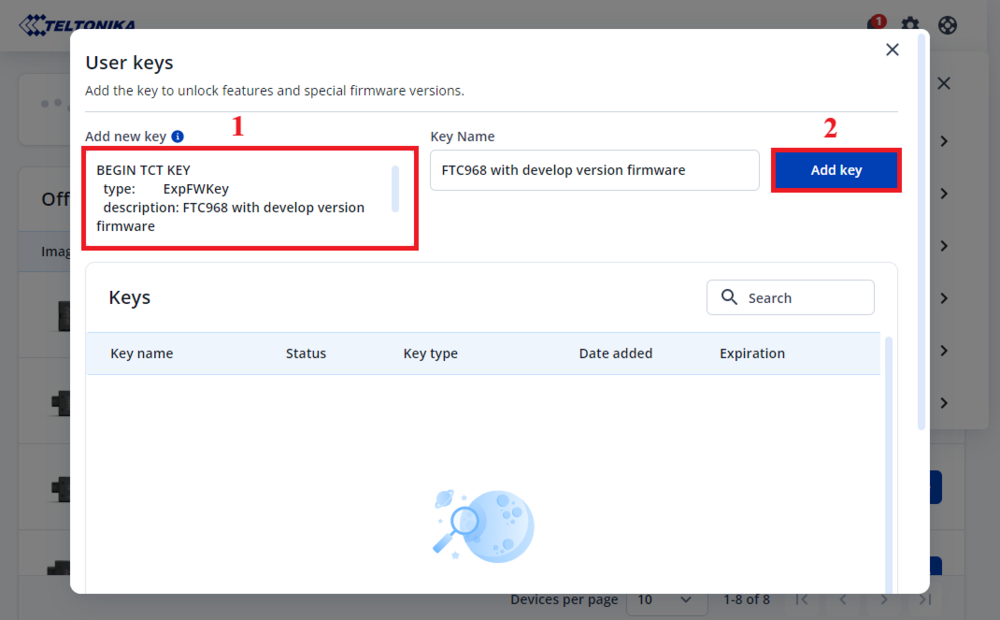
- Go to Settings -> User keys, copy the full key text from "BEGIN TCT KEY" to "END TCT KEY" and paste in Add new key field, then press Add key:
BEGIN TCT KEY
  description: FTC968 with develop version firmware
  type:        ExpFWKey
  key:         87fd1cdf-7119-499f-bb55-f76db98a6b1e
  expires:     2026-07-30
  signature:   v1|MOIg9XtRr9ixrhc3B7C1vqbhq3d6gDOxSPPyLMUF+rwPbmaCh6MWCB9PsMCRArlYnjoZAGiiCBMCBMtjOYX2EAHjO3Ozux6rtYqti0IVJcA1JJuFjYdFO/TaRc/j4geNTA9FDsTpmLQ055FPOhr8Lz253D7exqtSzGYrG32FhRe75HebIMXpojF8UnLWVgEeBI9+lpK7Q2+a54Iib7RXZiJ+r0S9aiaPElnV06RzFY6p4Ms2Hbty/DLwvWYiL1AlsHtWs96JCFM/GkaiE6uaA6EYIDb//tWl/Eeyv54BCqWJeCBvg7HrQoUZsi+2jyb6wrUMO0Sxw6copjnwLAil8w==
END TCT KEY
Note: This TCT key will expire on 2025-07-30. Please contact us via HelpDesk to receive a new one before the expiration date.
TCT Download Link
Below you can find the installation file for the latest version of TCT:
| Version | Upload date | Link | Comment |
|---|---|---|---|
| 2.0.60 | 2025-05-13 | 
|
If you are using 1.1.80 or a lower TCT version, 2.0.60 must be installed manually. |

- Go to Settings -> Select firmware, then select FTC968 with develop version firmware and press Apply:

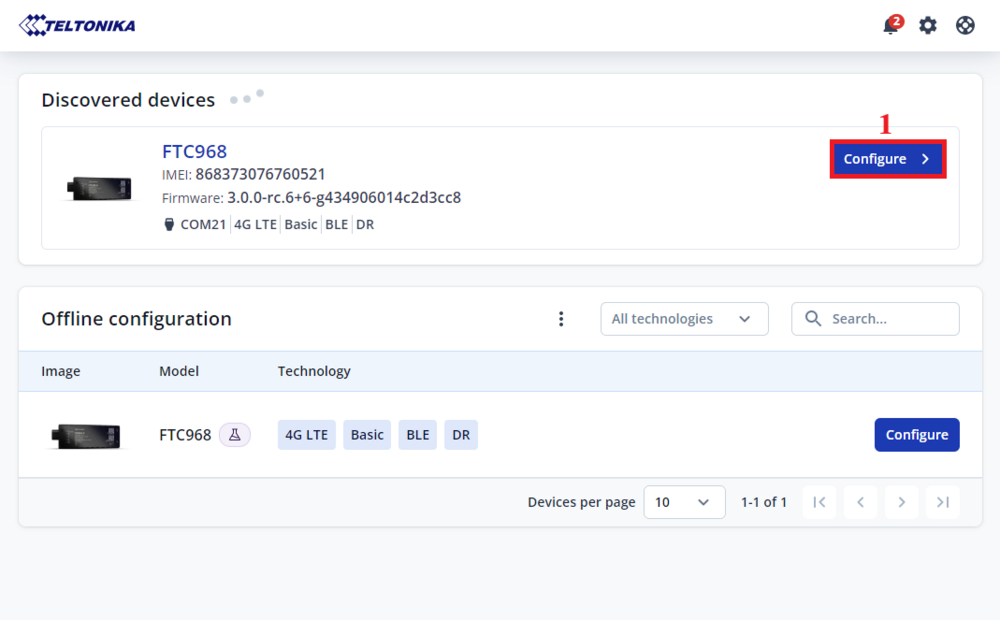
- In the Discovered devices list, select your device and press Configure: