
FMBT Mobile application: Difference between revisions
No edit summary |
|||
| Line 1: | Line 1: | ||
Now FMB devices | Now FMB devices setup is easier than ever! The FMBT application features a comprehensive array status information window, where you can monitor everything of importance without having to open up your laptop! What is more, you can employ the FMBT applications to perform quick and simple configuration changes via your smartphone. | ||
<br/><br/> | <br/><br/> | ||
[[Image:Google-play.png|150px|link=https://play.google.com/store/apps/details?id=lt.teltonika.teltonika_fmbt&hl=en]] | [[Image:Google-play.png|150px|link=https://play.google.com/store/apps/details?id=lt.teltonika.teltonika_fmbt&hl=en]] | ||
| Line 21: | Line 21: | ||
*Server information | *Server information | ||
<br/><br/><br/><br/><br/><br/><br/> | <br/><br/><br/><br/><br/><br/><br/> | ||
[[Category:Fleet management]] | |||
Revision as of 14:33, 1 June 2020
Main Page > EOL Products > FMBT Mobile applicationNow FMB devices setup is easier than ever! The FMBT application features a comprehensive array status information window, where you can monitor everything of importance without having to open up your laptop! What is more, you can employ the FMBT applications to perform quick and simple configuration changes via your smartphone.

FMBT Information
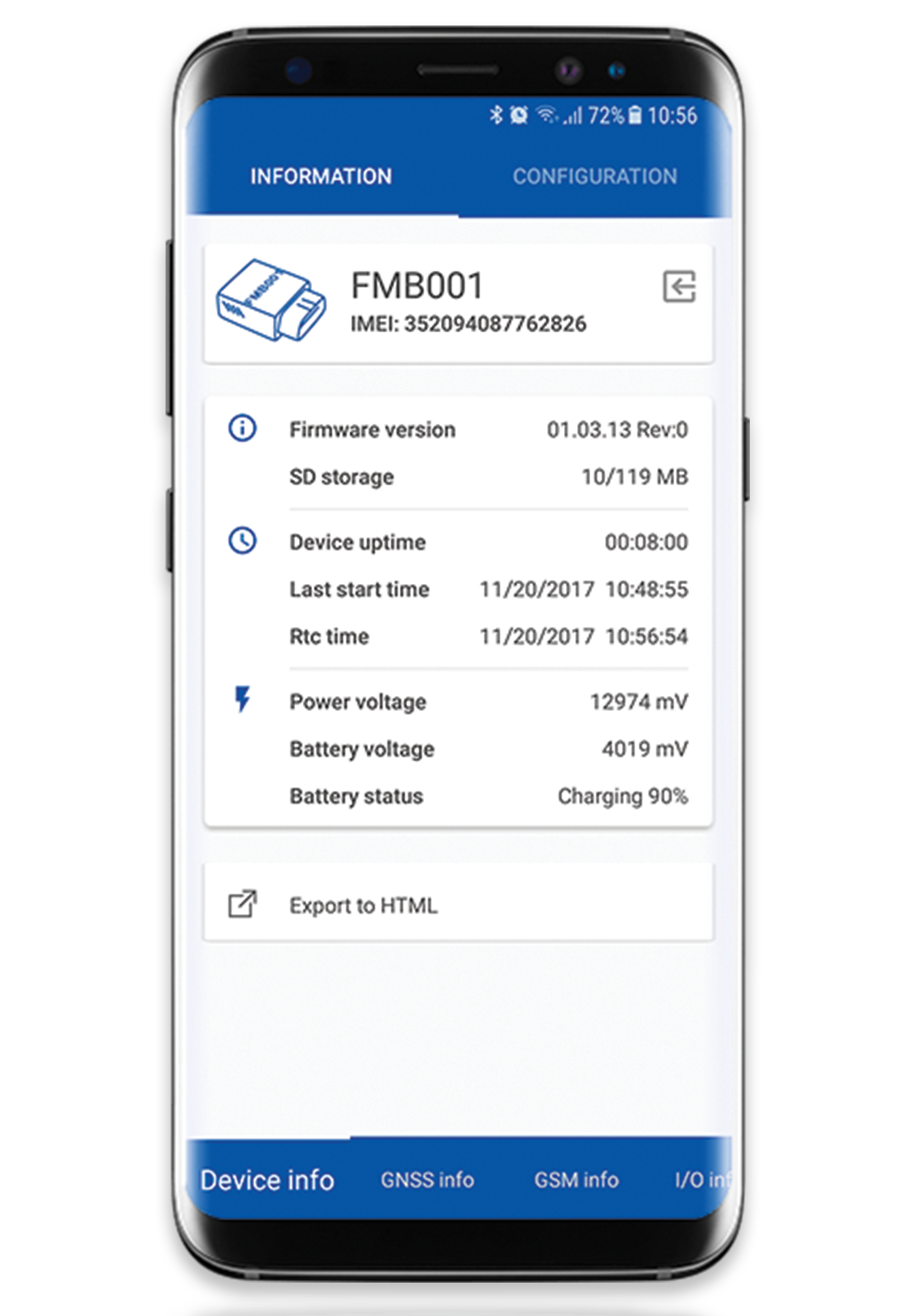
The FMBT application is able to display:
- Device name, IMEI and firmware version
- Current status
- GNSS Status, coordinates and satellite info
- GSM Status, Record, Data packet and SMS counts, AVL server socket status
- I/O element status
FMBT Configuration
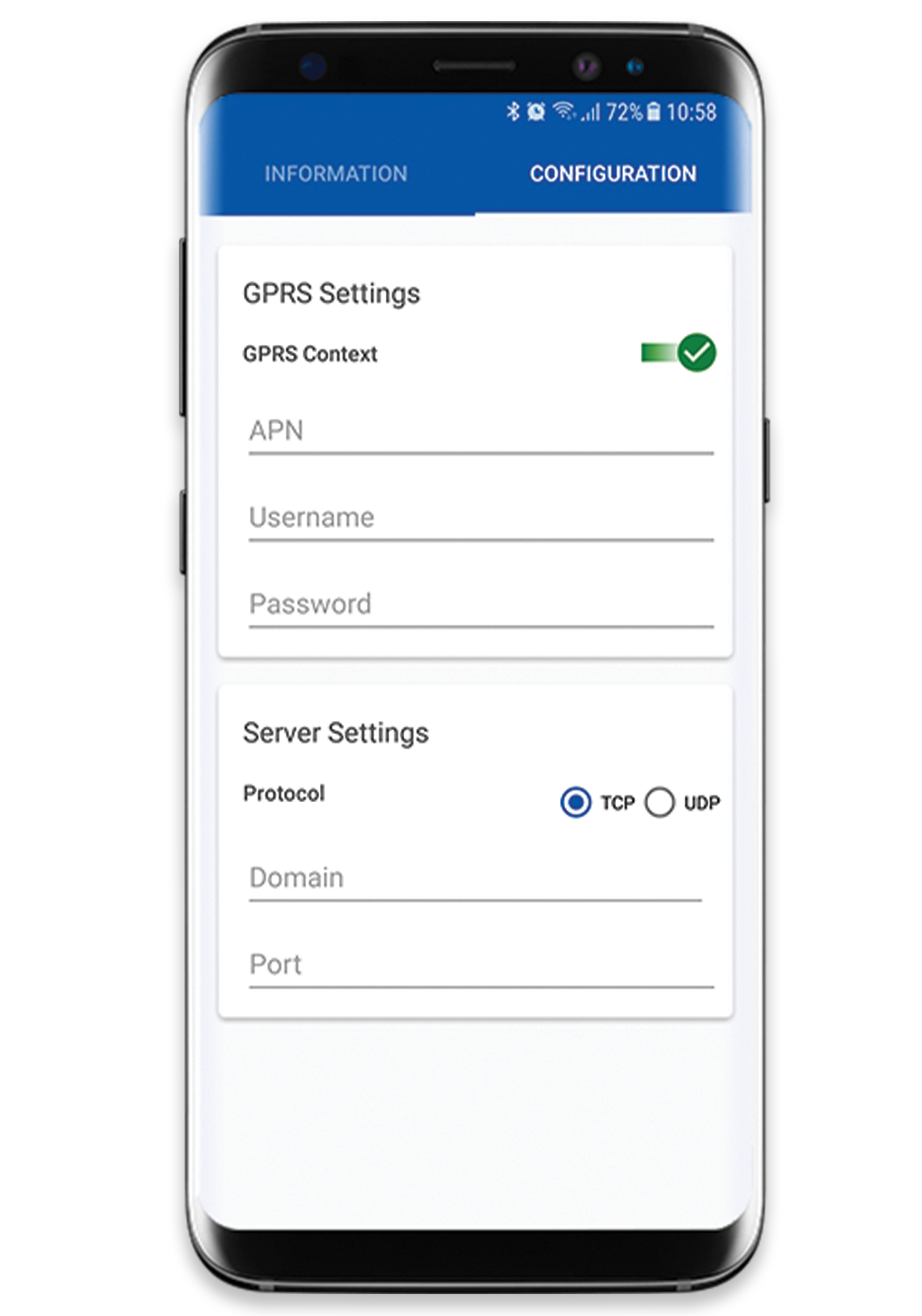
The application is also able to configure:
- Device APN
- Server information