A company card is a type of smart card issued to transport companies for use with digital tachographs. It serves several functions, including access control to tachograph data (as required by, e.g., EU law).
Company Card Authenticator (CCA) is a piece of software developed by Teltonika that allows to remotely authenticate with a tachograph to download DDD files.
PC Requirements for CCA
For CCA to work properly with TachoSync, the PC on which CCA is installed must always be turned on and online.
PC Requirements for CCA:
OS: Windows 10; Windows 11.
CPU: Intel or AMD processor with 64-bit support.
Disk Storage: 500 MB of free disk space.
Internet connection: Required for downloading and operation.
TachoSync authentication service IP address and port:
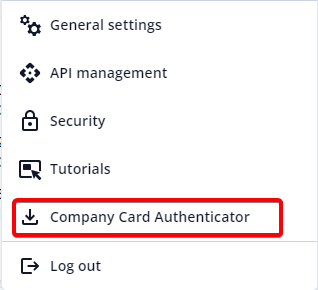
Go to "Settings" in the top menu and select "Company Card Authenticator".
A window opens. Select the latest version and click “Download".
Open the downloaded file and install CCA.
Run CCA.
Your card reader is now able to remotely authorize tachograph data downloads.
CCA Interface
Company Card Authenticator interface
The CCA provides the name of the connected smartcard reader(s) and the following information in a table:
Card slot - identifier of card slot in the reader.
Card ID - a unique identifier assigned by the smart card chip - copy this ID to TachoSync when adding a new company card - see “Companies” in TachoSync Interface for more information.
Card Number - card serial number that is printed on the card (and encoded electronically) that uniquely identifies the card.