
Unused files
The following files exist but are not embedded in any page. Please note that other websites may link to a file with a direct URL, and so may still be listed here despite being in active use.
Showing below up to 50 results in range #201 to #250.
-
 FMB640 3.jpg 8,940 × 8,940; 6.85 MB
-
 FMB640 4.jpg 8,940 × 8,940; 10.56 MB
-
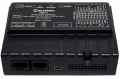 FMB640 HD.png 2,624 × 1,720; 4.66 MB
-
 Fmb001 gprs.png 1,360 × 638; 86 KB
-
 Fmb001 system.png 1,120 × 736; 105 KB
-
 Fmb010 system.png 1,120 × 736; 105 KB
-
 2018 RoHS FM3001-1.png 1,654 × 2,338; 396 KB
-
 2018 RoHS FMB204-1.png 1,654 × 2,338; 382 KB
-
 FMB640 1 demo v2.jpg 3,129 × 3,129; 1.11 MB
-
 FMB640 2 demo v2.jpg 3,129 × 3,129; 1.11 MB
-
 FMB640 3 demo v2.jpg 3,129 × 3,129; 1.11 MB
-
 FMB640 4 demo v2.jpg 3,129 × 3,129; 1.66 MB
-
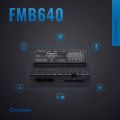 FMB640 1 v2.jpg 8,940 × 8,940; 6.91 MB
-
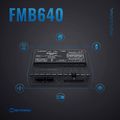 FMB640 2 v2.jpg 8,940 × 8,940; 6.91 MB
-
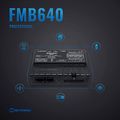 FMB640 3 v2.jpg 8,940 × 8,940; 6.89 MB
-
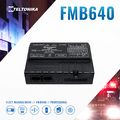 FMB640 4 v2.jpg 8,940 × 8,940; 10.59 MB
-
 How to select fw in fota part 1 v1.png 1,168 × 116; 13 KB
-
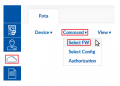 How to select fw in fota part 2 v1.png 343 × 245; 15 KB
-
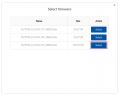 How to select fw in fota part 3 v1.png 676 × 540; 21 KB
-
 How to select fw in fota part 4 v1.png 1,208 × 116; 14 KB
-
 How to select fw in fota part 5 v1.png 1,015 × 128; 16 KB
-
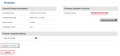 How to select fw in fota part 6 v1.png 990 × 458; 31 KB
-
 How to select config in fota part 1 v1.png 1,251 × 116; 15 KB
-
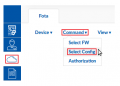 How to select config in fota part 2 v1.png 343 × 245; 15 KB
-
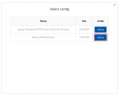 How to select config in fota part 3 v1.png 676 × 540; 17 KB
-
 How to select config in fota part 4 v1.png 1,312 × 116; 16 KB
-
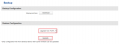 How to select config in fota part 5 v1.png 985 × 363; 21 KB
-
 How to set authorization for fota part 1 v1.png 1,270 × 116; 16 KB
-
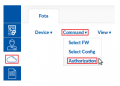 How to set authorization for fota part 2 v1.png 343 × 245; 15 KB
-
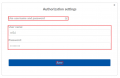 How to set authorization for fota part 3 v1.png 676 × 439; 14 KB
-
 How to set authorization for fota part 4 v1.png 1,348 × 116; 16 KB
-
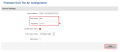 How to set authorization for fota part 5 v1.png 985 × 424; 25 KB
-
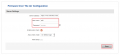 How to set authorization for fota part 5 v2.png 1,061 × 482; 27 KB
-
 Fota encryption icon.png 49 × 21; 1 KB
-
 Fota encryption icon v2.png 27 × 12; 726 bytes
-
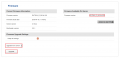 How to select fw in fota part 6 v2.png 1,061 × 513; 32 KB
-
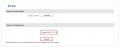 How to select config in fota part 5 v2.png 1,061 × 421; 22 KB
-
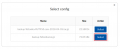 How to select config in fota part 3 v2.png 676 × 277; 16 KB
-
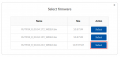 How to select fw in fota part 3 v2.png 676 × 321; 20 KB
-
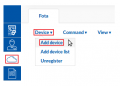 How to add device to fota part 1 v1.png 343 × 245; 14 KB
-
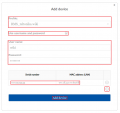 How to add device to fota part 2 v1.png 676 × 638; 25 KB
-
 How to add device to fota part 3 v1.png 676 × 152; 6 KB
-
 How to add device to fota part 4 v1.png 1,343 × 151; 22 KB
-
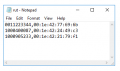 How to add device list to fota part 1 v1.PNG 368 × 217; 7 KB
-
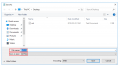 How to add device list to fota part 2 v1.PNG 795 × 441; 24 KB
-
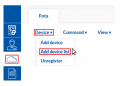 How to add device list to fota part 3 v1.png 343 × 245; 14 KB
-
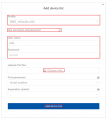 How to add device list to fota part 4 v1.png 673 × 747; 32 KB
-
 How to add device list to fota part 5 v1.png 672 × 145; 7 KB
-
 How to add device list to fota part 6 v1.png 1,197 × 186; 24 KB
-
 How to remove devices from fota part 1 v1.png 1,257 × 186; 24 KB


