
Uncategorized files
Showing below up to 50 results in range #8,451 to #8,500.
-
 HomeZoneCFG 319.png 871 × 299; 18 KB
-
 HomeZoneFW.png 870 × 299; 23 KB
-
 HomeZoneIndication.png 708 × 44; 19 KB
-
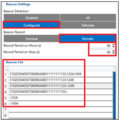 HomezoneBeaconList.png 268 × 269; 31 KB
-
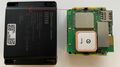 Housing.jpg 3,764 × 2,117; 1.34 MB
-
 Hover.png.png 1,245 × 555; 76 KB
-
How-Auto-APN-works.mp4 ; 1.64 MB
-
 How do you want to save.png 419 × 88; 4 KB
-
 How to add a new profile to rms part 2 v1.png 676 × 368; 17 KB
-
 How to add a new profile to rms part 4 v1.png 546 × 637; 56 KB
-
 How to add device list to fota part 1 v1.PNG 368 × 217; 7 KB
-
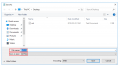 How to add device list to fota part 2 v1.PNG 795 × 441; 24 KB
-
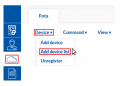 How to add device list to fota part 3 v1.png 343 × 245; 14 KB
-
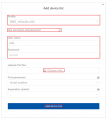 How to add device list to fota part 4 v1.png 673 × 747; 32 KB
-
 How to add device list to fota part 5 v1.png 672 × 145; 7 KB
-
 How to add device list to fota part 6 v1.png 1,197 × 186; 24 KB
-
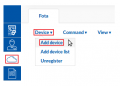 How to add device to fota part 1 v1.png 343 × 245; 14 KB
-
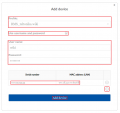 How to add device to fota part 2 v1.png 676 × 638; 25 KB
-
 How to add device to fota part 3 v1.png 676 × 152; 6 KB
-
 How to add device to fota part 4 v1.png 1,343 × 151; 22 KB
-
 How to add new group to rms part 1 v1.png 1,087 × 204; 19 KB
-
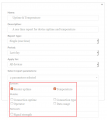 How to add new report to rms part 2 v1.png 676 × 761; 45 KB
-
 How to change configuration monitoring interval part 1 v1.png 1,280 × 186; 35 KB
-
 How to change configuration monitoring interval part 3 v1.png 695 × 1,027; 75 KB
-
 How to change lan ip.png 1,010 × 351; 25 KB
-
 How to check available OBDII data 1.gif 467 × 683; 318 KB
-
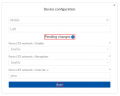 How to configure device from rms part 4 v2.png 672 × 535; 27 KB
-
 How to configure device from rms part 5 v1.png 672 × 241; 10 KB
-
 How to configure static routes for ipsec rut1.png 1,061 × 398; 31 KB
-
 How to connect Bluetooth Hands Free adapter to FMB device+.gif 510 × 741; 17.97 MB
-
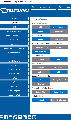 How to connect Bluetooth Hands Free adapter to FMB device.gif 450 × 762; 359 KB
-

-
-
-
-
-
-
 How to delete profiles from rms part 1 v1.png 1,085 × 151; 14 KB
-
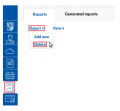 How to delete reports from rms part 2 v1.png 407 × 375; 19 KB
-
 How to delete user from rms part 1 v2.png 1,034 × 151; 15 KB
-
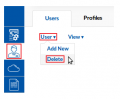 How to delete user from rms part 2 v1.png 296 × 245; 12 KB
-
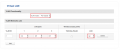 How to disable lan ports.png 1,053 × 437; 22 KB
-
 How to download config from rms part 2 v2.png 1,057 × 204; 19 KB
-
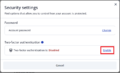 How to enable 2FA .png 689 × 418; 30 KB
-
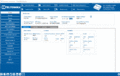 How to enable advance beacon mode.gif 1,161 × 737; 532 KB
-
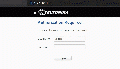 How to enable remote access for RMS.gif 700 × 400; 1.8 MB
-
 How to export troubleshoot from rms part 2 v1.png 879 × 167; 14 KB
-
 How to export troubleshoot from rms part 2 v2.png 1,057 × 204; 20 KB
-
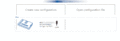 How to get log dump cfg files.gif 1,035 × 353; 893 KB
-
 How to locate cli.png 645 × 461; 53 KB


