
Uncategorized files
Showing below up to 50 results in range #8,501 to #8,550.
-
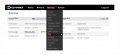 How to locate cli v2.png 1,123 × 514; 67 KB
-
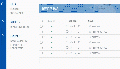 How to reach a routers WebUI from RMS.gif 700 × 400; 1.19 MB
-
 How to reboot device from rms part 2 v1.png 879 × 219; 17 KB
-
 How to remove devices from fota part 1 v1.png 1,257 × 186; 24 KB
-
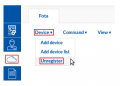 How to remove devices from fota part 2 v1.png 343 × 245; 14 KB
-
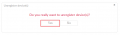 How to remove devices from fota part 3 v1.png 676 × 197; 10 KB
-
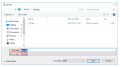 How to save as csv v2.PNG 795 × 441; 24 KB
-
 How to select config in fota part 1 v1.png 1,251 × 116; 15 KB
-
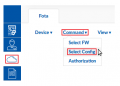 How to select config in fota part 2 v1.png 343 × 245; 15 KB
-
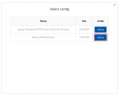 How to select config in fota part 3 v1.png 676 × 540; 17 KB
-
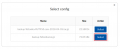 How to select config in fota part 3 v2.png 676 × 277; 16 KB
-
 How to select config in fota part 4 v1.png 1,312 × 116; 16 KB
-
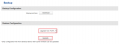 How to select config in fota part 5 v1.png 985 × 363; 21 KB
-
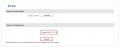 How to select config in fota part 5 v2.png 1,061 × 421; 22 KB
-
 How to select fw in fota part 1 v1.png 1,168 × 116; 13 KB
-
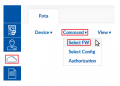 How to select fw in fota part 2 v1.png 343 × 245; 15 KB
-
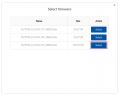 How to select fw in fota part 3 v1.png 676 × 540; 21 KB
-
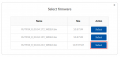 How to select fw in fota part 3 v2.png 676 × 321; 20 KB
-
 How to select fw in fota part 4 v1.png 1,208 × 116; 14 KB
-
 How to select fw in fota part 5 v1.png 1,015 × 128; 16 KB
-
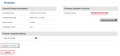 How to select fw in fota part 6 v1.png 990 × 458; 31 KB
-
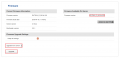 How to select fw in fota part 6 v2.png 1,061 × 513; 32 KB
-
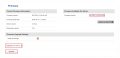 How to select fw in fota part 6 v3.png 1,061 × 513; 33 KB
-
 How to set authorization for fota part 1 v1.png 1,270 × 116; 16 KB
-
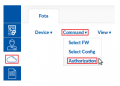 How to set authorization for fota part 2 v1.png 343 × 245; 15 KB
-
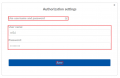 How to set authorization for fota part 3 v1.png 676 × 439; 14 KB
-
 How to set authorization for fota part 4 v1.png 1,348 × 116; 16 KB
-
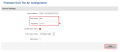 How to set authorization for fota part 5 v1.png 985 × 424; 25 KB
-
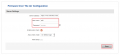 How to set authorization for fota part 5 v2.png 1,061 × 482; 27 KB
-
 How to set new alert on rms part 2 v2.png 1,057 × 204; 19 KB
-

-
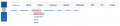 How to update fw from rms part 2 v6.png 1,057 × 229; 22 KB
-
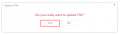 How to update fw from rms part 4 v1.png 672 × 197; 9 KB
-
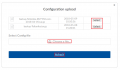 How to upload config to device in rms part 2 v1.png 672 × 391; 24 KB
-
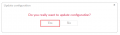 How to upload config to device in rms part 3 v1.png 672 × 197; 10 KB
-
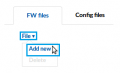 How to upload firmware to rms part 1 v1.png 274 × 167; 6 KB
-
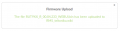 How to upload firmware to rms part 2 v1.png 676 × 174; 13 KB
-
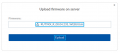 How to upload firmware to rms part 3 v1.png 676 × 296; 12 KB
-
-
-
 How to view alerts on rms part 2 v2.png 1,057 × 204; 19 KB
-
 Humidity event.png 328 × 214; 13 KB
-
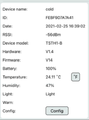 Humidity topfly.png 433 × 585; 69 KB
-
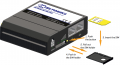 Hw installation rut230.PNG 950 × 513; 231 KB
-
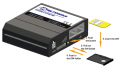 Hw installation rut240.PNG 579 × 320; 94 KB
-
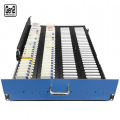 Hyper-card-rack-120-img1.png 500 × 500; 215 KB
-
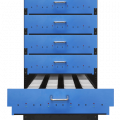 Hyper-card-rack-120-img3.png 500 × 500; 57 KB
-
 Hyper-card-rack-120-img4.png 500 × 500; 214 KB
-
 Hyper-card-rack-120-img5.png 500 × 500; 135 KB
-
 Hyper-card-rack-20-img1.png 500 × 500; 142 KB


