
SMS/GPRS command - getstatus
Revision as of 14:37, 15 January 2026 by Donatas.Mazonas (talk | contribs)
SMS/GPRS commands > SMS/GPRS command - getstatus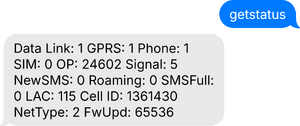

NOTE! This page describes SMS/GPRS commands for FT/AT devices, if not indicated otherwise.
Description
Get status about device.
Syntax:
getstatus
Arguments:
This command has no arguments.
Examples:
| REQUEST | OUTCOME | RESPONSE |
|---|---|---|
| getstatus 13000 | Success | Data Link: 1 GPRS: 1 Phone: 1 SIM: 0 OP: 24602 Signal: 5 NewSMS: 0 Roaming: 0 SMSFull: 0 LAC: 115 Cell ID: 1361430 NetType: 2 FwUpd: 65536 |
| getstatus | Fail | No response. |
Response explanation:
| RESPONSE ELEMENT | DESCRIPTION | EXAMPLE |
|---|---|---|
| Data Link | Indicate module connection to server at the moment:
0 – Not connected 1 – Connected |
Data Link: 1 |
| GPRS | Indicate if GPRS is available at the moment | GPRS: 1 |
| Phone | Voice Call status:
0 – Ready 1 – Unavailable 2 – Unknown 3 – Ringing 4 – Call in progress 5 – Asleep |
Phone: 1 |
| SIM | SIM Status:
0 – Ready 1 – PIN 2 – PUK 3 – PIN2 4 – PUK2 5 - Unknown |
SIM: 0 |
| OP | Connected to GSM Operator: numerical ID of operator | OP: 24602 |
| Signal | GSM Signal Quality [0-5] | Signal: 5 |
| NewSMS | Indicate if new message received | NewSMS: 0 |
| Roaming | 0 – Home Network
1 – Roaming |
Roaming: 0 |
| SMSFull | SMS storage is full?
0 – OK 1 – SMS storage is full |
SMSFull: 0 |
| LAC | GSM Tower Location Area Code | LAC: 115 |
| Cell ID | GSM Tower Cell ID Code | Cell ID: 1361430 |
| NetType | Network type which device is connected:
0 – UMTS (3G) 1 – GSM (2G) 2 – LTE (4G) 3 - LTE Cat-M1 (eMTC) 4 - LTE Cat-NB1 (NB-IoT) 99 – Unknown | NetType: 2 |
| FwUpd | Firmware update status:
0 – device has been updated via FOTA WEB / Teltonika Configurator From 1 to 65535 – device update was performed but unsuccessfully. Number shows error ID (ID:65535 unknown error, couldn’t be read) 65536 – device hasn’t been updated since it was turned ON 65537 – Unknown | FwUpd: 65536 |