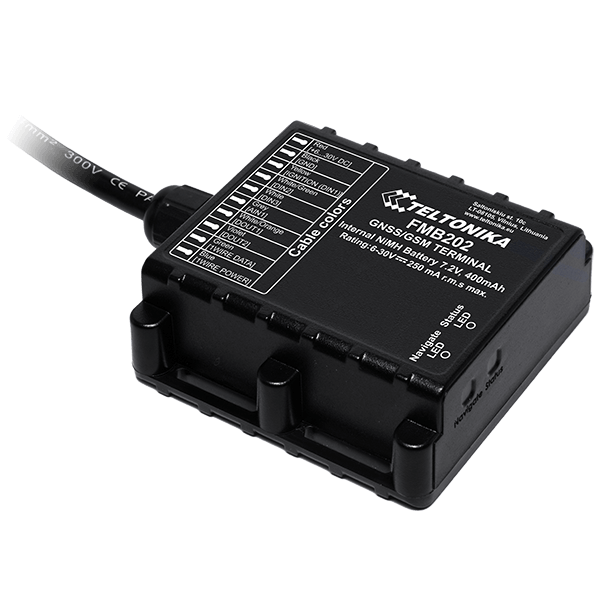
FMB202 Small and professional waterproof tracker with high gain internal internal GNSS/GSM antennas, Bluetooth and high capacity internal Ni-MH battery
How to insert Micro-SIM card
Unscrew 6 screws counter-clockwise that are located on the bottom of the device.
Remove the cover.
Insert Micro-SIM card as shown with PIN request disabled or read Security info how to enter it later in Configurator. Make sure that Micro-SIM card cut-off corner is pointing forward to slot.
Connect battery as shown to device.
After configuration, attach device cover and put the screws back in.
Device is ready to be connected.
Micro-SIM card insertion/removal must be performed when device is powered off – external voltage and battery are disconnected. Otherwise Micro-SIM card might be damaged or device will not detect it.
Cable colors
PIN NUMBER
PIN NAME
DESCRIPTION
Red
VCC (6-30)V DC (+)
Power supply (+6...30 V DC).
Black
GND (-)
Ground.
Yellow
DIN 1
Digital input, channel 1.
White/Green
DIN 2
Digital input, channel 2.
White
DIN 3
Digital input, channel 3.
Grey
AIN 1
Analog input, channel 1. Input range: 0-30 V DC.
White/Orange
DOUT 1
Digital output, channel 1. Open collector output. Max. 3,3 A DC.
Violet
DOUT 2
Digital output, channel 2. Open collector output. Max. 3,3 A DC.