(3 intermediate revisions by the same user not shown)
Line 28:
Line 28:
# Then, open the file and start the installation of the .NET framework: [[Image:.NET framework4.png|600px|none]]
# Then, open the file and start the installation of the .NET framework: [[Image:.NET framework4.png|600px|none]]
# After successful installation, please try to open '''[[Teltonika Configurator]]''' for fleet management, again.
# After successful installation, please try to open '''[[Teltonika Configurator]]''' for fleet management, again.
== Ways to determine the required version ==
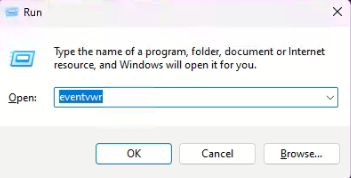
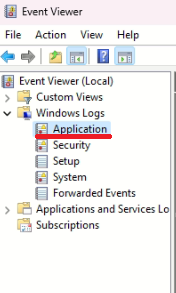
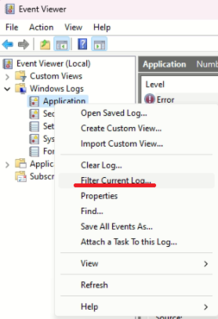
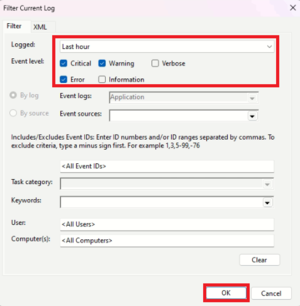
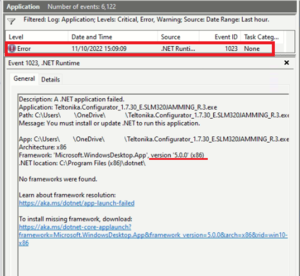
# After you will get a notification about the installation of the newer .NET framework version open the Run dialog by pressing Windows+R. [[Image:.NET framework 1.png|600px|none]]2. Type eventvwr (or eventvwr.msc) and click OK [[File:Run eventvwr.png|none]] 3. Expand Windows Logs Selection and Right click on Application<br /> [[File:Applications eventvwr.png|frameless]][[File:Filter eventvwr.png|frameless|319x319px]] <br />4. Press Filter Current Log. In the pop-up table select Event levels as indicated on the screen-shot (Critical, Warning, Error) and select Logged time to Last Hour and click OK[[File:Filters eventwr.png|none|thumb]]<br />5. In the column Source of the list displayed, find the latest event .NET Runtime. The General description will show the required version.[[File:Error eventvwr.png|none|thumb]]
==Additional Notes==
==Additional Notes==
'''Note No. 1:''' in some cases, the '''''x64''''' version should be installed as well like when using '''''Windows 11'''''. <br>
'''Note No. 1:''' in some cases, the '''''x64''''' version should be installed as well like when using '''''Windows 11'''''. <br>'''Note No. 2:''' when after installing the '''''x86''''' version the ''[[Teltonika Configurator]]'' is still not running, please try to install the '''''x64''''' version.
'''Note No. 2:''' when after installing the '''''x86''''' version the ''[[Teltonika Configurator]]'' is still not running, please try to install the '''''x64''''' version.
From Teltonika Configurator version 1.7.30 is required to update .NET framework version to 5.x.x because of added interactive Tool Tips let which lead to the corresponding Teltonika Telematics Wiki page in terms of functionality.
For instance:
Click on Info icon:
You will be lead to Teltonika Telematics Wiki page of the feature:
Because of this improvement, you need to do an update of the .NET framework version by the below provided steps.
Steps how to install .NET Runtime for Desktop
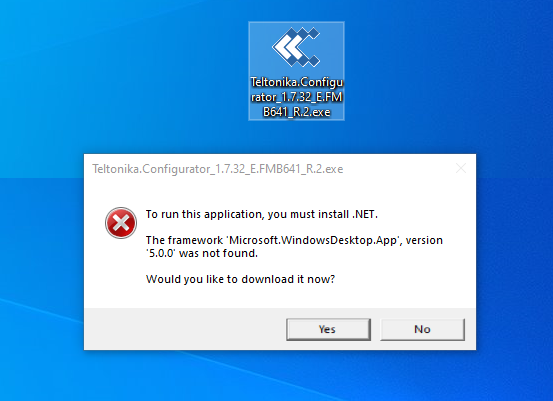
When you will get a notification about the installation of the newer .NET framework version, please click on the Yes button:
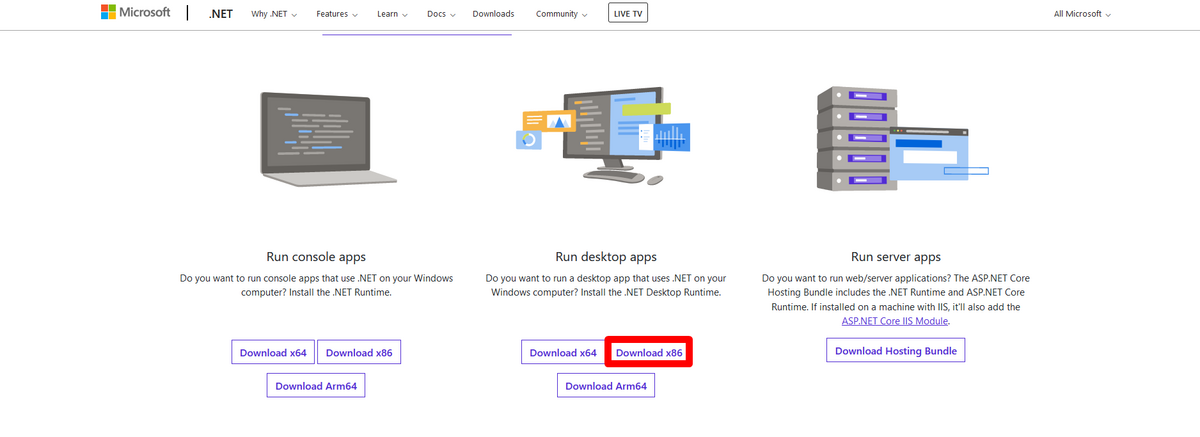
Then, when you will receive the below-provided window, please click on the Download x86 button which you will find under Run desktop apps:
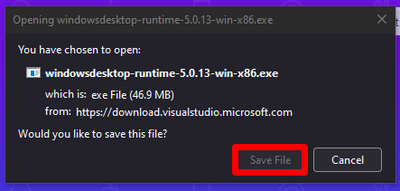
In a pop-up window please click on Save File button:
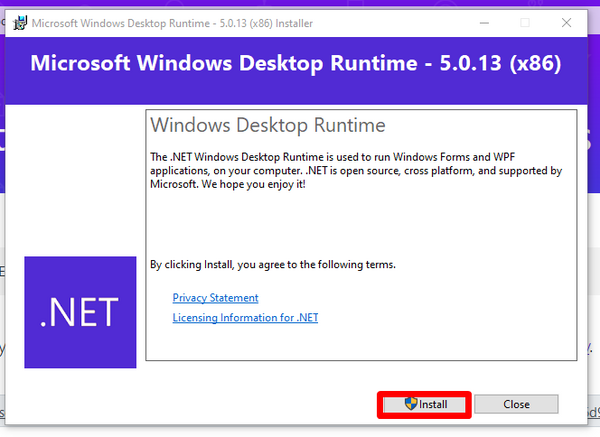
Then, open the file and start the installation of the .NET framework:
After successful installation, please try to open Teltonika Configurator for fleet management, again.
Ways to determine the required version
After you will get a notification about the installation of the newer .NET framework version open the Run dialog by pressing Windows+R. 2. Type eventvwr (or eventvwr.msc) and click OK 3. Expand Windows Logs Selection and Right click on Application 4. Press Filter Current Log. In the pop-up table select Event levels as indicated on the screen-shot (Critical, Warning, Error) and select Logged time to Last Hour and click OK 5. In the column Source of the list displayed, find the latest event .NET Runtime. The General description will show the required version.
Additional Notes
Note No. 1: in some cases, the x64 version should be installed as well like when using Windows 11. Note No. 2: when after installing the x86 version the Teltonika Configurator is still not running, please try to install the x64 version.