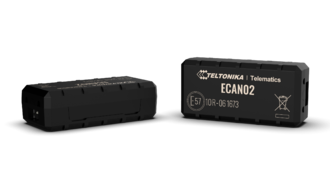
ECAN02 is contactless adapter used to read vehicle CAN Bus data.
It reads CAN bus data through the isolation of CAN wires without damaging them, thus preventing the voiding of warranty, and forwards signals to the tracking device.
ECAN02 adapter should be used in combination with:
ECAN02 is manufactured and meant to be used only with Teltonika devices. Cannot guarantee expected quality with 3rd party devices
Fuse is protecting devices from high current peaks. If the voltage exceeds 33V (i.e. 35V) then protection diode stabilizes device voltage to 33V and the current value will increase accordingly.
Status LED Indications
Behaviour
Meaning
Off
No CAN data present
Permanently switched on or flashes
CAN Data Present
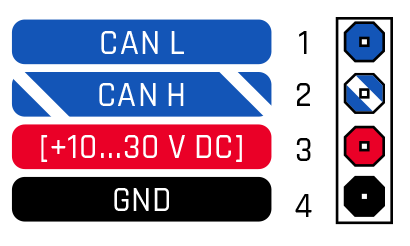
Pinout
PIN NUMBER
PIN NAME
DESCRIPTION
1
CAN L
(Blue) Connect to CAN L input of CAN BUS converter
2
CAN H
(White/Blue) Connect to CAN H input of CAN BUS converter
3
VCC
(RED) Power supply (10-30) V DC (+)
4
GND (-)
(Black) Ground wire (10-30) V DC (-)
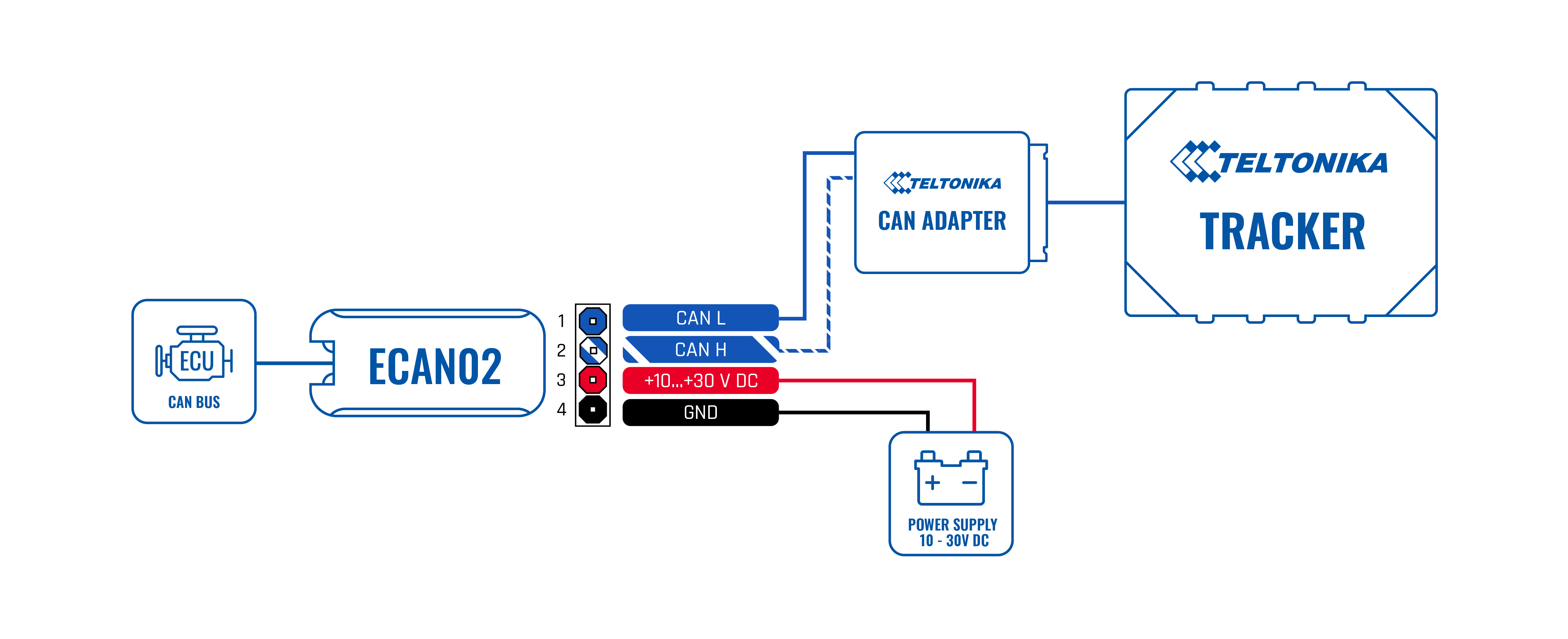
Wiring scheme
Setup ECAN02
Gently open the ECAN02 cover using a plastic pry tool from both sides.
Remove backing material on double-sided adhesive tape.
Insert CAN wires. Please make sure that the correct slots are used (CAN High/CAN Low).



_01.png)
_02.png)
_03.png)
_04.png)
_05.png)
